Global Giveaways
Take part in CUBSOFTWARE's giveaways, open to every server that joins in.
How it works
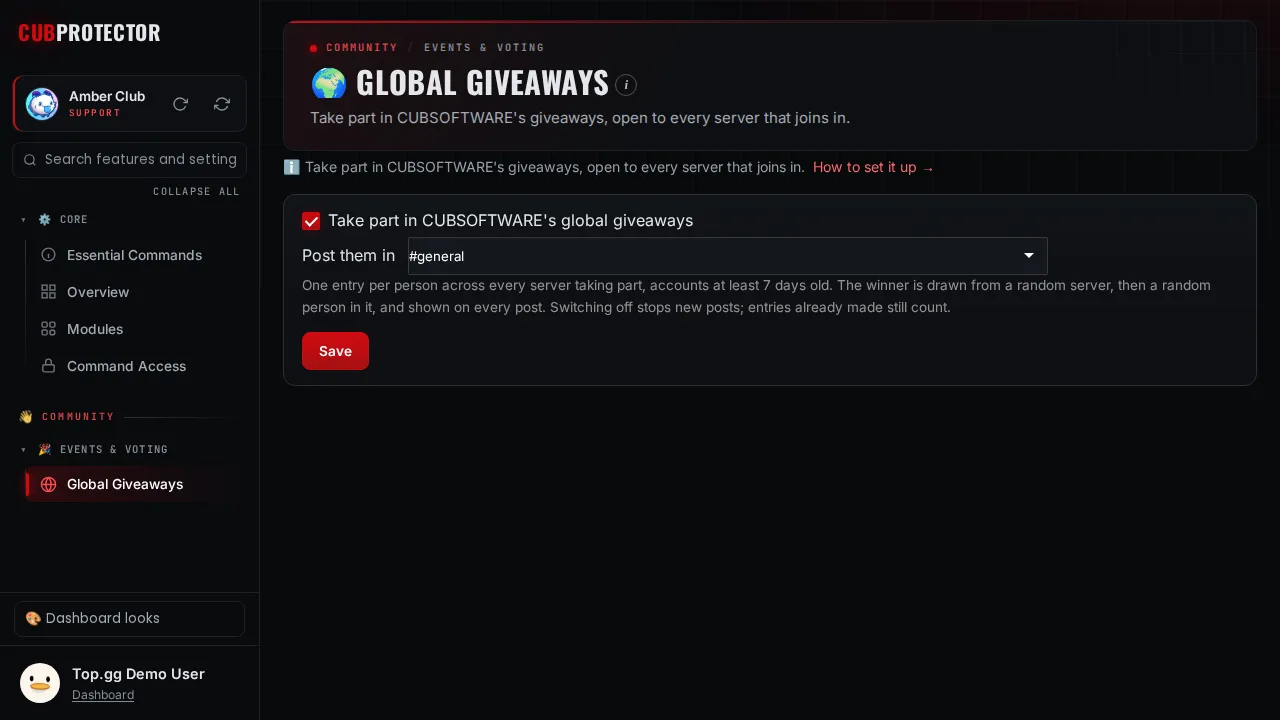
Switch it on and pick a text or announcement channel. When CUBSOFTWARE runs a global giveaway, the bot posts it there. Members press Enter (one entry per person, accounts at least 7 days old) and see the entries from every server. The winner is drawn from a random server taking part, then a random person in it, and shown on every post. Switching it off stops new posts; entries already made still count.
Switch it on in a minute
Add Ensa to your server. You need Manage Server there.
Sign in at dashboard.cubsoftware.site and pick your server.
Go to Modules, find it under Events & Voting, and switch it on.
Open Global Giveaways in the sidebar and choose your settings. Changes apply within seconds.
Questions
Is Global Giveaways free?
Yes. Global Giveaways is free for every server, with no ads. The only paid extras are a custom bot (Premium, which also raises some limits) and members' own rank cards (the Personal Card Pass).
Is it on by default?
No. Every feature starts switched off, so your server only gets what you choose. Switch it off again any time from Modules.
Can I choose who uses it?
Yes. Every page has a "Who can use this" card: Discord's default, everyone, admins only, or only the roles and members you pick, plus channels, cooldowns and a block list.
Where do I get help?
Ask in the CUB SOFTWARE support server, or use the CUB Helper at the bottom-right of the site.