Utility
Small helpers members can call on.
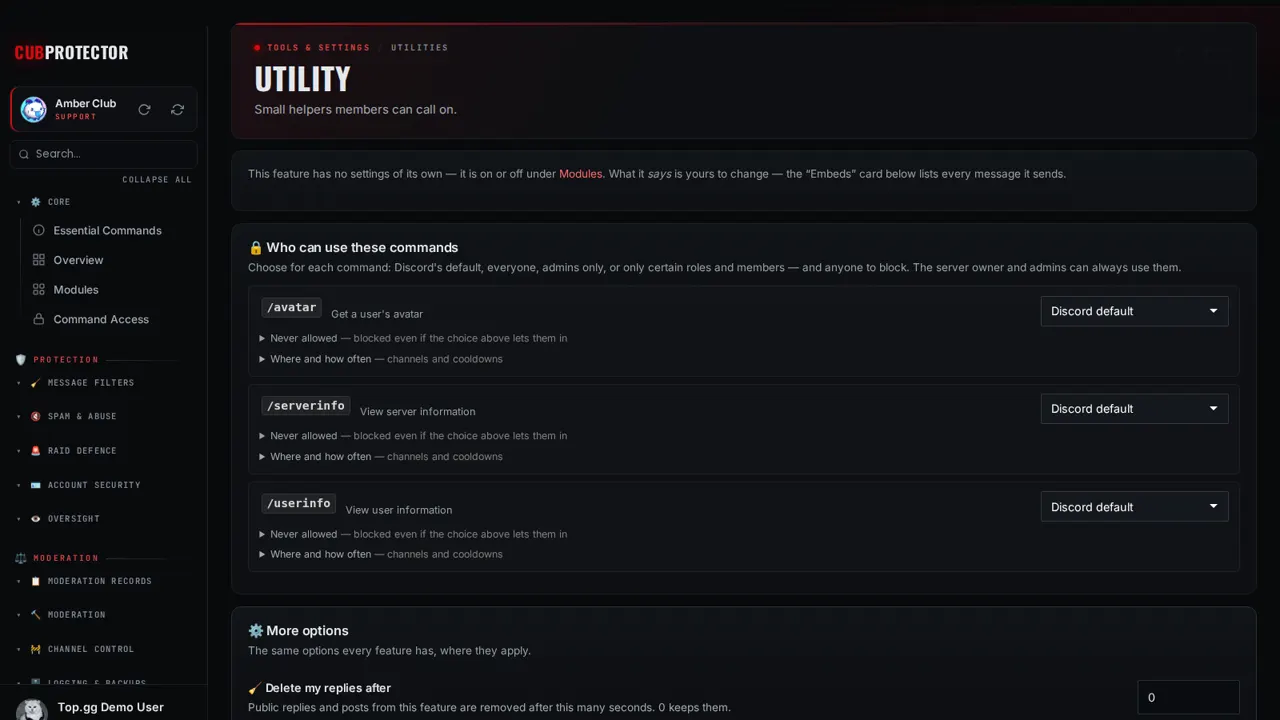
Switch it on in a minute
Add CUB PROTECTOR to your server. You need Manage Server there.
Sign in at dashboard.cubsoftware.site and pick your server.
Go to Modules, find it under Utilities, and switch it on.
Open Utility in the sidebar and choose your settings. Changes apply within seconds.
Commands
/userinfoView user information
/serverinfoView server information
/avatarGet a user's avatar
Questions
Is Utility free?
Yes. Utility and all 148 CUB PROTECTOR features are 100% free. There's no premium tier, no paywalled limits and no ads.
Is it on by default?
No. Every feature starts switched off, so your server only gets what you choose. Switch it off again any time from Modules.
Can I choose who uses it?
Yes. Every page has a "Who can use this" card: Discord's default, everyone, admins only, or only the roles and members you pick, plus channels, cooldowns and a block list.
Where do I get help?
Ask in the CUB SOFTWARE support server, or use the CUB Helper at the bottom-right of the site.