Setup Commands
The guided setup commands, and the wording they walk people through.
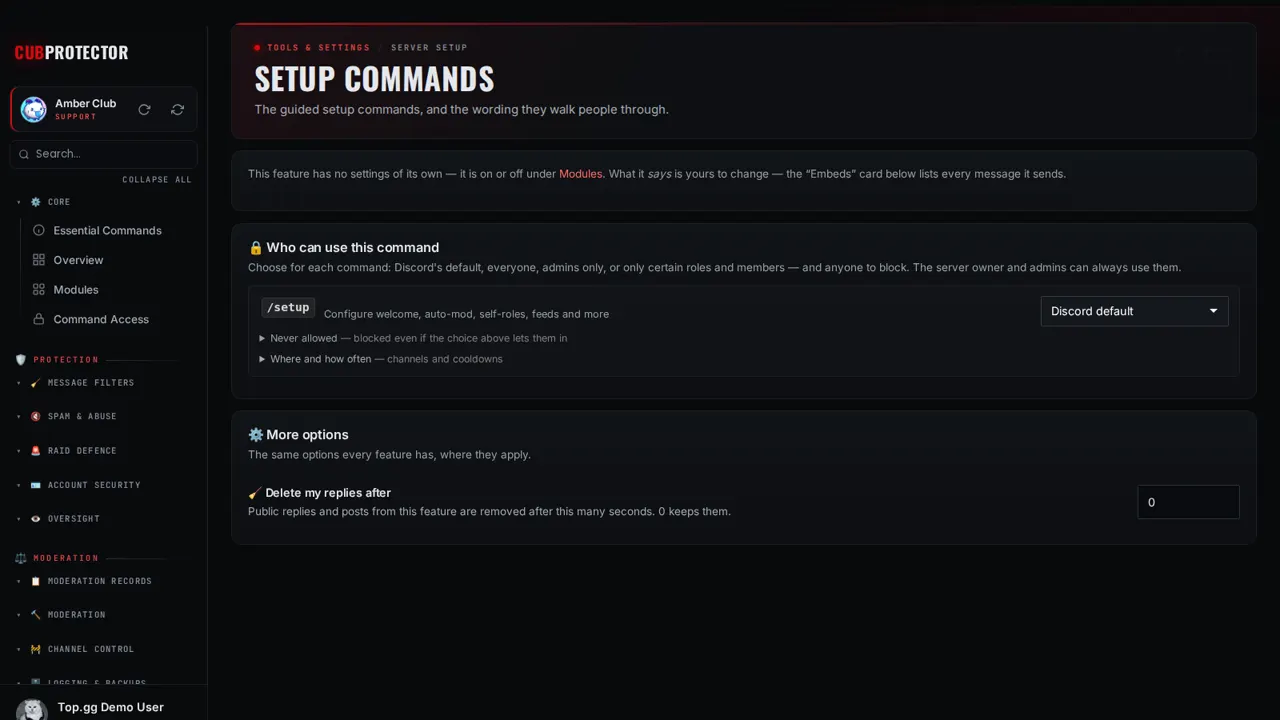
Switch it on in a minute
Add CUB PROTECTOR to your server. You need Manage Server there.
Sign in at dashboard.cubsoftware.site and pick your server.
Go to Modules, find it under Server Setup, and switch it on.
Open Setup Commands in the sidebar and choose your settings. Changes apply within seconds.
Commands
/setupConfigure welcome, auto-mod, self-roles, feeds and more
/setup embed— Post a custom embed/setup logging— Point a log event at a channel/setup welcome toggle— Turn welcome messages on or off/setup welcome channel— Set the welcome channel/setup welcome message— Set the welcome message/setup welcome dm— Set a welcome DM/setup welcome autorole— Role given to new members/setup welcome test— Preview the welcome message/setup goodbye toggle— Turn goodbye messages on or off/setup goodbye channel— Set the goodbye channel/setup goodbye message— Set the goodbye message/setup automod enable— Turn auto-mod on/setup automod disable— Turn auto-mod off/setup automod status— Show auto-mod settings/setup automod spam— Spam filter/setup automod caps— Excessive caps filter/setup automod mentions— Mass-mention filter/setup automod links— Link filter/setup automod invites— Discord invite filter/setup automod badwords— Word filter/setup automod exempt— Exempt a role or channel/setup counting setup— Set the counting channel/setup counting score— Show the current count/setup counting reset— Reset the count/setup counting disable— Turn counting off/setup starboard setup— Set up the starboard/setup starboard toggle— Turn the starboard on or off/setup reactionrole create— Create a reaction role message/setup reactionrole add— Add a role to a message/setup reactionrole remove— Remove a role from a message/setup selfroles setup— Set the self-roles channel/setup selfroles add-category— Add a category/setup selfroles remove-category— Remove a category/setup selfroles add-role— Add a role to a category/setup selfroles remove-role— Remove a role/setup selfroles preset— Apply a preset set of roles/setup selfroles post— Post the self-role menus/setup selfroles disable— Turn self-roles off/setup colorroles setup— Set the colour-roles channel/setup colorroles add— Add a colour role/setup colorroles remove— Remove a colour role/setup colorroles disable— Turn colour roles off/setup debate start— Start a debate/setup debate end— End the debate/setup debate log— Set the debate log channel/setup tournament create— Create a tournament/setup tournament join— Join a tournament/setup tournament start— Start a tournament/setup tournament advance— Advance a winner/setup tournament info— Tournament details/setup tournament list— List tournaments/setup tournament end— End a tournament/setup newsfeed add— Add a news feed/setup newsfeed remove— Remove a news feed/setup newsfeed list— List news feeds/setup redditfeed add— Follow a subreddit/setup redditfeed remove— Unfollow a subreddit/setup redditfeed list— List followed subreddits/setup customcmd add— Add a chat-triggered response/setup customcmd remove— Remove one/setup customcmd list— List chat-trigger commands
Questions
Is Setup Commands free?
Yes. Setup Commands and all 148 CUB PROTECTOR features are 100% free. There's no premium tier, no paywalled limits and no ads.
Is it on by default?
No. Every feature starts switched off, so your server only gets what you choose. Switch it off again any time from Modules.
Can I choose who uses it?
Yes. Every page has a "Who can use this" card: Discord's default, everyone, admins only, or only the roles and members you pick, plus channels, cooldowns and a block list.
Where do I get help?
Ask in the CUB SOFTWARE support server, or use the CUB Helper at the bottom-right of the site.