Games
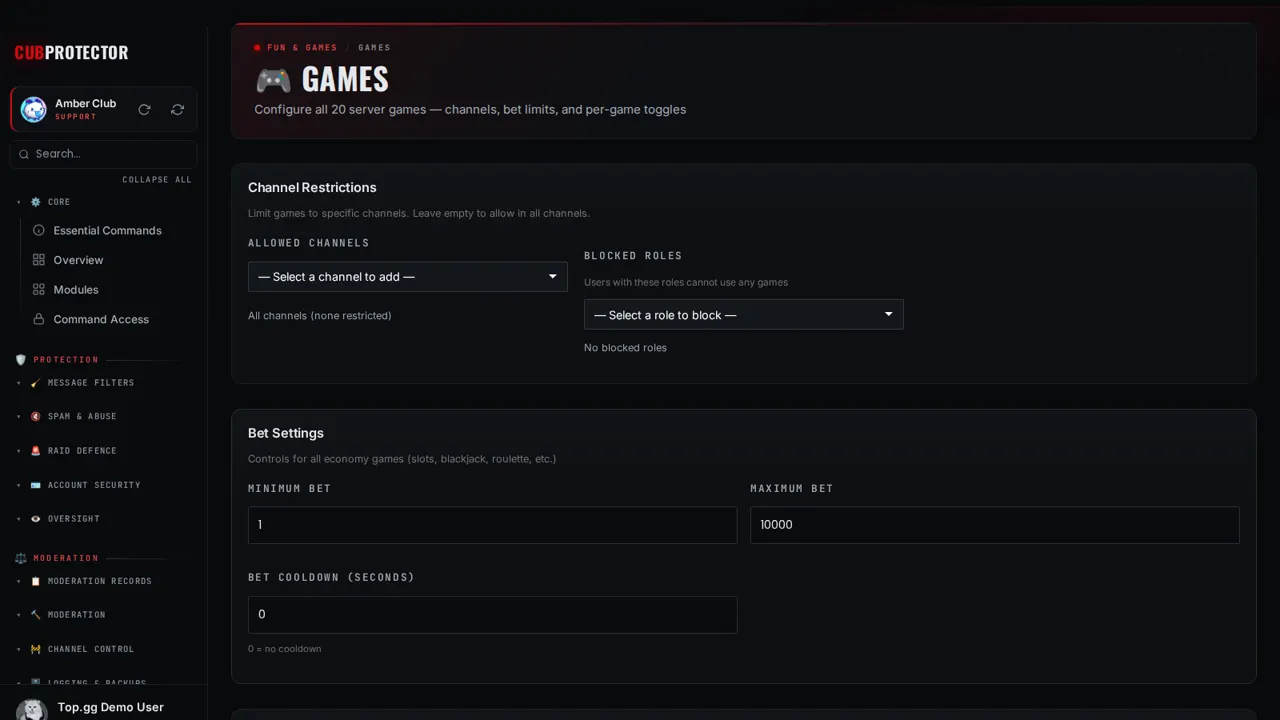
Configure all 20 server games — channels, bet limits, and per-game toggles
Switch it on in a minute
Add CUB PROTECTOR to your server. You need Manage Server there.
Sign in at dashboard.cubsoftware.site and pick your server.
Go to Modules, find it under Games, and switch it on.
Open Games in the sidebar and choose your settings. Changes apply within seconds.
Commands
/gamePlay a game
/game slots— Spin three reels/game blackjack— Beat the dealer to 21/game roulette— Bet on red, black, or a number/game crash— Cash out before it crashes/game scratch— Scratch for a prize/game coinbet— Heads or tails for coins/game highlow— Guess if the next card is higher/game tictactoe— Three in a row against the bot/game connect4— Four in a row against someone/game rps— Best of one/game trivia— Trivia with buttons, 23 topics and a server leaderboard/game hangman— Guess the word letter by letter/game wordle— Five letters, six tries/game riddle— Solve a riddle/game scramble— Unscramble the word/game typerace— Type the phrase fastest/game mathrace— Answer before the timer/game minesweeper— A spoiler grid to pick through/game memory— Match the pairs/game numguess— Guess the number, with hints/game wouldyourather— Pick one of two/game neverhaveiever— A prompt for the channel/game truthordare— Truth, or dare/game emojiquiz— Guess the phrase from emoji/game wordchain— Each word starts with the last letter
Questions
Is Games free?
Yes. Games and all 148 CUB PROTECTOR features are 100% free. There's no premium tier, no paywalled limits and no ads.
Is it on by default?
No. Every feature starts switched off, so your server only gets what you choose. Switch it off again any time from Modules.
Can I choose who uses it?
Yes. Every page has a "Who can use this" card: Discord's default, everyone, admins only, or only the roles and members you pick, plus channels, cooldowns and a block list.
Where do I get help?
Ask in the CUB SOFTWARE support server, or use the CUB Helper at the bottom-right of the site.